Pendo Session Replay: A No-Nonsense Comparison for Product Teams

on this page ▾
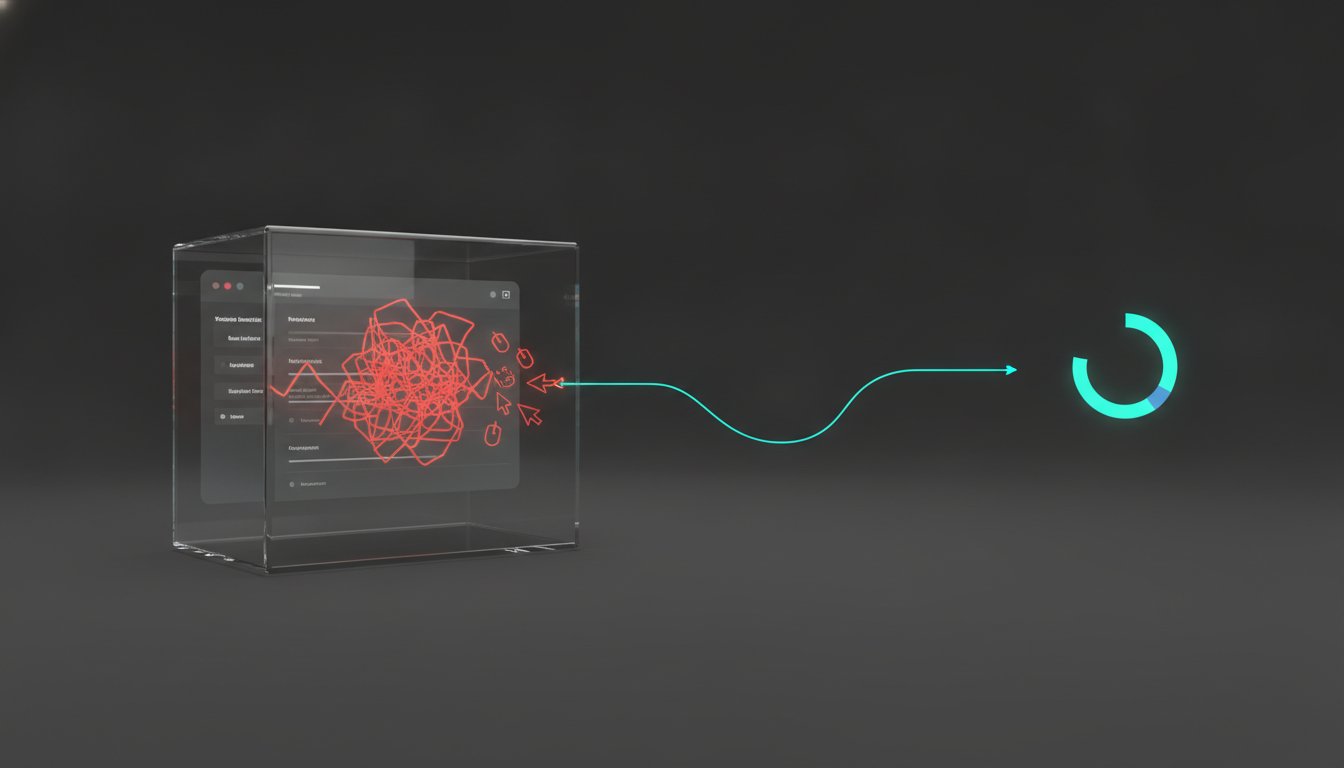
Watching your users struggle is a special kind of torture. Most product teams pay a premium for traditional session replay solutions just to document failure in high definition. You see the rage clicks. You spot the broken funnel. Then, you realize the recording is trapped in a silo. Your engineers can't see the clip because of restrictive per-seat pricing. It's visibility without velocity. Data shouldn't be a spectator sport.
You probably feel the "noise" of having thousands of recordings without actionable next steps. This article provides a blunt, fluff-free breakdown of the limitations of many session replay solutions. We'll look at the real ROI of Kilden's unified engagement approach and how it empowers your product team. We'll explore why your entire team needs eyes on user struggles without paying for extra seats. You'll find a direct path from seeing a problem to fixing it immediately with Kilden's in-app engagement. It's time to stop watching and start solving.
Key Takeaways
- Understand why session replay is a diagnostic layer, not a standalone solution, and how to use it to drive actual product growth.
- Evaluate the technical depth and setup friction of pendo session replay compared to more agile, unified alternatives.
- Learn to eliminate data silos by integrating recordings directly with engagement tools like product tours and in-app surveys.
- Compare the ROI of restrictive enterprise pricing against flat, scalable models that empower your entire team to see user struggles.
- Shift your strategy from passive observation to immediate action by choosing a platform built for velocity rather than just documentation.
Table of Contents
- Understanding Pendo Session Replay: Capabilities and Context
- The Reality of Enterprise Replay: Power vs. Complexity
- Bridging the Gap: Why Replay Needs Integrated Engagement
- Kilden vs. Pendo: A Framework for Choosing
- Choosing Your Growth Stack: Beyond the Status Quo
Understanding Pendo Session Replay: Capabilities and Context
Traditional analytics tell you a user dropped off at step three. They don't tell you they were fighting a flickering dropdown menu for thirty seconds. Pendo session replay acts as the visual layer that fills this gap. It provides the "why" behind the quantitative "what." Instead of guessing why a conversion rate dipped, you watch the struggle in high definition. It's a diagnostic tool designed to turn abstract data points into human experiences. Product teams use it to validate UX research, debug edge cases, and resolve support tickets by seeing exactly what the customer saw.
The technology doesn't record a video file of the user's screen. Instead, it captures Document Object Model (DOM) changes and user interactions in real time. The system then stitches these events back together to recreate the session during playback. This approach is more efficient than traditional video recording but requires specific technical foundations. For instance, as of 2026, web-based replays require Web SDK version 2.214.0 or higher to function correctly. It's about data reconstruction, not just filming a screen.
Core Features of the Pendo Replay Module
Pendo supports both web and mobile environments. Recent updates in August 2026 show active maintenance for native iOS, Android, and cross-platform frameworks like Flutter and React Native. The module includes several critical components for enterprise teams:
- Visual Playbacks: High-fidelity reconstructions of user journeys across devices, allowing you to see clicks, scrolls, and mouse movements.
- Segment-Based Capture: You don't have to record everyone. You can target specific user groups to manage data volume and focus on high-priority cohorts or specific feature testers.
- Privacy-First Masking: Security is handled via CSS selectors and image blocking. You can hide sensitive PII (Personally Identifiable Information) before it ever leaves the user's browser, ensuring compliance with global privacy standards.
The Role of Replay in the Pendo Ecosystem
Replay doesn't exist in a vacuum. It's deeply tied to Pendo’s broader suite of Guides and Feedback. When a user interacts with an in-app guide or submits a feature request, the system can link that specific event to a recording. This creates a closed loop between user sentiment and user behavior. If a user rates a feature poorly, you can jump straight to their session to see the friction they encountered.
The platform also uses a "Suggested Replays" feature. This uses behavioral signals to surface sessions that likely contain friction or errors. Instead of hunting through thousands of hours of footage, the system points you toward the most relevant clips. Data retention and storage policies are typically tied to your specific enterprise tier. Your historical visibility depends entirely on your contract level. It's a powerful setup, provided you have the budget and the technical resources to maintain the "web SDK" across your entire product stack.
The Reality of Enterprise Replay: Power vs. Complexity
Enterprise software often trades speed for granularity. Pendo session replay is no exception. It offers immense technical depth, particularly in its privacy and masking engine. You can hide specific elements with surgical precision. But there is a hidden cost. This power creates a maintenance burden that many growing teams aren't prepared to carry. You end up spending more time managing the tool than fixing your product. It's visibility without velocity. The high cost of entry often prices out teams that just need core insights to move fast.
Setup Friction and Maintenance
Getting a clean, compliant recording isn't automatic. It requires admin-level configuration and constant vigilance. You have to manually tag CSS selectors for every field containing sensitive data. If your frontend changes, your masking rules might break. It's a manual effort that demands ongoing developer attention. Then there's the noise. Capturing every session creates a mountain of data. Without aggressive segment management, you'll find yourself drowning in thousands of irrelevant playbacks. You need actionable insights, not a storage locker full of digital clutter. Keeping the system running requires frequent SDK updates to maintain capture quality, adding yet another task to your sprint cycles.
If you want a platform that prioritizes action over administration, consider how unified product analytics can streamline your workflow without the enterprise bloat.
The Per-Seat Licensing Barrier
Data silos are the natural byproduct of restrictive pricing. Pendo typically operates on an enterprise model where costs can scale based on Monthly Active Users and feature tiers. Often, this leads to teams limiting access to a handful of core users to keep budgets in check. When only the analytics team can see the recordings, the feedback loop breaks. Your support agents can't verify a bug. Your engineers can't see the exact moment of a crash. You've paid for the data, but you've locked it behind a paywall.
- Engineers lose context on technical debt.
- Support teams spend more time asking for screenshots than fixing problems.
- Product Managers become bottlenecks for seeing the truth.
The Per-Seat Tax is the primary killer of product-led growth because it punishes collaboration and hides the reality of the user experience from the people who actually build it. True visibility requires a model where the whole team can watch, learn, and iterate without checking the budget first.
Bridging the Gap: Why Replay Needs Integrated Engagement
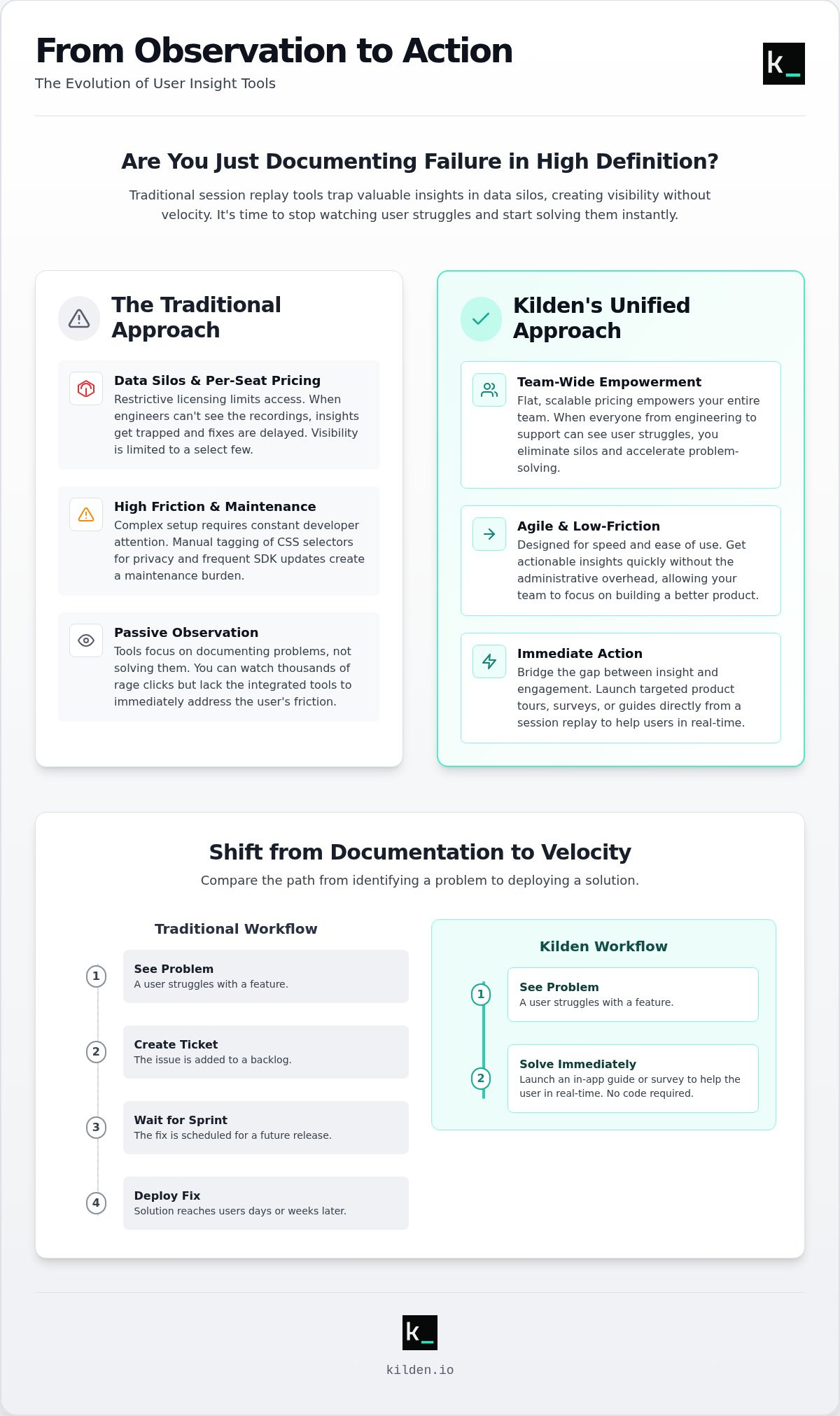
Watching a user fail is voyeurism. It isn't product management. While pendo session replay provides high-definition visibility into user struggles, it often leaves you as a passive observer. You see the friction. You document the drop-off. Then, you have to switch modules or export data to actually do something about it. This is the fundamental difference between a connected tool and a unified platform. In a connected system, replay is a standalone silo that talks to other parts of the suite. In a unified system, replay is the direct trigger for action.
From Insight to Intervention
Insight without intervention is wasted overhead. When you spot a user getting stuck in a complex workflow, you shouldn't just take a note for the next sprint. You should act. A unified stack allows you to move from seeing a struggle to launching product tours or in-app banners in one motion. This creates the "Action Loop": See the problem, Tag the behavior, and Engage the user. You don't need to wait for a developer to push a code change. You can deploy a temporary fix or a guided walkthrough using feature flags and in-app messaging based on the exact evidence from the replay. It eliminates context switching. It closes the gap between identifying a hurdle and removing it. You fix the user's problem while they're still in the app, not three weeks later.
The Efficiency of a Single Identity Stack
Fragmentation kills performance. Using one SDK for analytics, another for messaging, and a third for session recordings creates script bloat. It slows down your app. More importantly, it creates identity mismatches. If your messaging tool doesn't recognize the user from your replay tool instantly, your intervention fails. A single identity stack ensures the truth of the user journey is preserved across every touchpoint. It provides wholeness in your data strategy.
- Reduced Latency: One SDK means fewer network requests and faster load times.
- Surgical Targeting: Shared user properties allow you to trigger campaigns based on specific replay behaviors.
- Data Integrity: You avoid the "Heisenbug" effect where user data looks different across disparate tools.
Wholeness means your product analytics and engagement tools share the same DNA. You aren't just stitching together disparate data points. You're operating from a single source of reality. This is how you move from passive observation to active product growth.
Kilden vs. Pendo: A Framework for Choosing
Choosing between these platforms isn't about comparing feature lists. It's about deciding how your team actually works. Pendo is built for the enterprise hierarchy. Kilden is built for the product-led sprint. You need to evaluate which model supports your growth without adding unnecessary friction to your workflow. If you want to move from observation to action, you have to look past the marketing jargon and focus on the technical reality of the implementation.
Direct Comparison of Core Capabilities
When looking at the technical foundation, both tools offer high-fidelity capture and granular privacy masking. You'll find feature parity in the visual quality of the replays and mobile framework support. However, the divergence starts with the engagement layer. Pendo treats replay as a module that connects to its Guide ecosystem. Kilden includes a full engagement suite, featuring Messenger, Product Tours, and In-app Surveys, as native components of the same identity stack. You aren't stitching modules together; you're using a single engine.
The engineering requirement is the next hurdle. Pendo often demands a level of managed data engineering to keep the complex web SDK updated across multiple environments. Kilden is designed for a no-engineering-required deployment. You get the same depth of insight without the technical overhead of an enterprise setup. If you are tired of paying for every team member who needs to see the truth, explore Kilden's scalable pricing model to empower your entire organization.
- Replay Quality: Parity on DOM capture and session stitching for web and mobile.
- Engagement Suite: Kilden includes native Messenger, Tours, and Surveys; Pendo requires separate module configuration.
- Implementation: Pendo is enterprise-heavy with managed engineering; Kilden is lean and no-code.
Who Wins? Determining the Right Fit
Pendo is the right choice for large, legacy enterprises. If your organization is already deeply entrenched in the Pendo Guide ecosystem and has the budget for extensive per-seat licensing, the friction of switching might outweigh the benefits. You're paying for the brand and the established ecosystem. It's a safe, corporate choice for teams that value documentation over speed.
Kilden is for the growth-stage team. It's for the product manager who wants their engineers and support staff to see pendo session replay style insights without asking for budget approval for every new seat. It eliminates the per-seat tax that kills cross-functional collaboration. The truth about tool consolidation is simple. Fewer SDKs lead to better performance. When your analytics, replays, and messaging live in one stack, your app stays fast and your data stays whole. You move from watching to fixing in a single motion. Stop buying fragmented modules and start using a platform built for action.
Choosing Your Growth Stack: Beyond the Status Quo
Fragmented analytics is a legacy trap. Most teams accept a workflow where they watch a recording in one window and build an intervention in another. This separation of powers is inefficient. It slows down your response time and creates a disconnect between what you see and what you do. The industry is shifting toward unified growth platforms. You shouldn't settle for a tool that just documents failure. You need a platform that empowers you to fix it.
Stop evaluating software based on a checklist of features. A feature list doesn't account for the friction of switching between modules or the cost of technical debt. Focus on actionability. Ask yourself: "How quickly can I move from identifying a user struggle in a pendo session replay to deploying a solution?" If the answer involves a developer ticket and a two-week sprint, your stack is broken. Growth happens when insights and actions live in the same identity stack.
The Future of Product-Led Growth
The next generation of product managers will prioritize wholeness. They won't tolerate siloed data or tools that don't talk to each other. A unified identity stack ensures that your session recordings, product analytics, and feature flags all reference the same human being. This clarity allows for surgical precision in your engagement strategy. You can use in-app surveys to ask for context right when a user hesitates. You can trigger product tours to guide them through the exact hurdle you just watched them face. It's about closing the loop in real time.
Kilden provides this unity. It offers the same visual depth you'd expect from pendo session replay but integrates it directly with an active engagement suite. You get the truth of the user experience without the administrative bloat of an enterprise ecosystem. More importantly, you get a tool that scales with your ambition, not your headcount. Collaboration shouldn't be a line item in your budget. It's time to move beyond the status quo of fragmented systems and restrictive licenses.
Efficiency is the only sustainable competitive advantage. When your whole team can access playbacks and trigger interventions without friction, you outpace the competition. You stop guessing. You start solving. It's a simple formula: Insights plus action equals growth. Don't let your tools become the very hurdles you're trying to remove for your users. Take the direct path to a better product experience.
Stop paying the per-seat tax and start growing with Kilden.
Stop Watching and Start Solving
Watching your users struggle in high definition is a diagnostic start; it isn't a strategy. Most teams treat pendo session replay as a standalone archive of failure. They accept fragmented data and restrictive per-seat licensing as the inevitable cost of visibility. But observation without intervention is just overhead. You need a platform that turns every insight into an immediate action without the burden of managed data engineering.
True product-led growth requires wholeness. It demands a unified stack where analytics, replays, and engagement tools share the same identity DNA. When you eliminate technical silos, you empower your entire team to see the truth and act on it instantly. You stop being a passive observer and start being a partner in your users' success. The future belongs to teams that prioritize velocity over documentation.
It's time to reclaim your agility and move beyond the status quo. Stop watching and start engaging with Kilden. Experience the clarity of a unified suite with no per-seat tax and no technical bloat. Build a product that works as well in reality as it does in your vision.
Frequently Asked Questions
Does Pendo Session Replay capture sensitive PII data?
Pendo session replay can capture personally identifiable information (PII) unless you actively configure masking. You must manually identify CSS selectors for sensitive fields like email addresses or credit card numbers. The system hides this data at the browser level before transmission. If your frontend structure changes and you miss a new field, that data could be recorded. Constant auditing is required for compliance.
What is the performance impact of adding session replay to my web app?
The performance impact is generally low because the SDK captures DOM mutations rather than recording heavy video files. However, every script adds to your bundle size and execution time. You should load the SDK asynchronously to prevent it from blocking the initial page render. Monitor your Core Web Vitals regularly. A slow app creates the very friction you are trying to find and fix.
How does Pendo's session replay pricing work compared to Kilden?
Pendo pricing is opaque and typically scales based on Monthly Active Users (MAUs) and feature tiers. It often requires high-cost enterprise contracts for full replay access. Kilden uses a flat, scalable model that avoids per-seat licensing entirely. This ensures your engineers and support staff can watch playbacks without increasing your monthly bill. You stop paying for access and start paying for value.
Can I use session replay for mobile apps with Pendo?
Yes, Pendo supports session replay for native iOS and Android applications. As of August 2026, it also provides specific plugins for cross-platform frameworks including Flutter, React Native, and Maui. Mobile replay requires the integration of the Pendo Mobile SDK. It reconstructs screen transitions and touch interactions, providing a visual timeline of the mobile user journey similar to the web experience.
Do I need a developer to set up session replay masking?
You usually need a developer to identify and tag the correct CSS selectors for privacy masking. While some basic settings exist in the UI, ensuring total PII protection requires an understanding of your app’s DOM structure. If you update your code, a developer must verify that masking rules still apply. It is a technical maintenance task, not a simple one-time marketing configuration.
How long does Pendo store session recordings?
Data retention periods depend on your specific contract but typically range from 30 days to 13 months. Higher enterprise tiers generally offer longer storage windows for an additional cost. Once the retention period expires, recordings are permanently deleted from the system. You must align your storage policy with your debugging and sprint cycles to ensure critical evidence remains available when you need it.
What happens if I hit my recording limit in Pendo?
Pendo stops capturing new sessions once you reach your plan’s MAU or recording cap. You lose all visibility into user behavior for the remainder of the billing cycle unless you upgrade your tier. This creates data gaps that can hide urgent bugs or UX failures. Kilden’s model is built for growth, ensuring you don't lose the "truth" of your user experience during high-traffic periods.
Can I trigger a product tour directly from a session replay insight?
In Pendo, you must switch between the Replay module and the Guides module to build an intervention. It is a connected workflow, but it is not a single, unified motion. Kilden allows you to trigger product tours, messenger prompts, or in-app surveys directly from the same identity stack. You move from seeing a struggle in pendo session replay style views to fixing it instantly.