No-Code In-App Messaging: A Practical Guide to High-Impact SaaS Engagement

on this page ▾
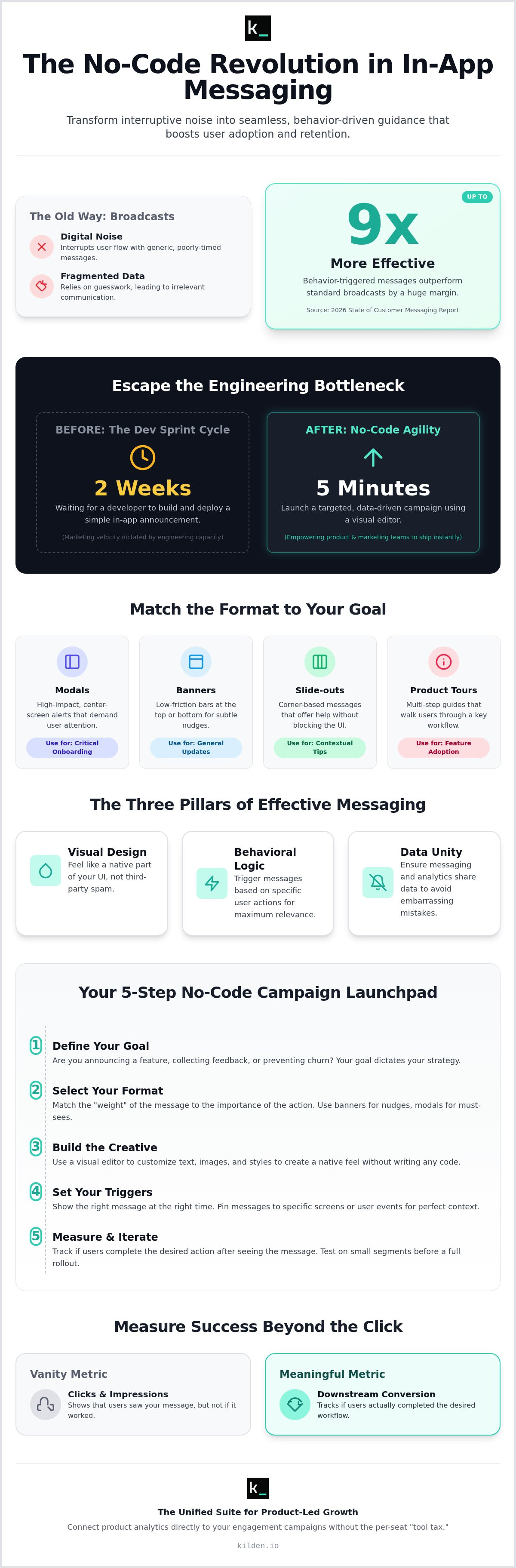
Most in-app messages are just digital noise. They interrupt the user's flow because they rely on fragmented data and guesswork. It's a waste of potential. Implementing no code in-app messaging changes the math. It turns a clunky interruption into a seamless part of the user journey. The 2026 State of Customer Messaging report shows behavior-triggered messages outperform standard broadcasts by up to nine times. You shouldn't settle for less.
You know timely guidance is the key to retention. You feel the friction when a simple announcement sits in a two-week engineering sprint while you wait for a developer. Engineering bottlenecks shouldn't dictate your marketing velocity. Legacy platforms make it worse. They charge per-seat taxes that punish your growth. It's a broken system. You'll learn how to deploy data-driven messages that drive adoption without writing a single line of code.
We're moving past the interruption engine model. This guide covers how to launch campaigns in minutes, sync your analytics for better targeting, and reduce churn through human-centric guidance. It's time to stop waiting and start shipping.
Key Takeaways
- Stop waiting on dev sprints. Use no code in-app messaging to build and deploy targeted campaigns directly through a visual editor.
- Match your format to your goal. Use low-friction banners for updates and modals for high-impact actions to avoid user fatigue.
- Master event-based triggers. Show the right message the moment a user interacts with a specific feature to ensure relevance and context.
- Measure downstream conversion instead of vanity clicks. Track whether users actually complete the desired workflow after seeing your message.
- Eliminate the tool tax. Use a unified suite to connect your product analytics directly to your engagement campaigns without per-seat licensing costs.
Table of Contents
- What is No-Code In-App Messaging?
- How to Launch a No-Code In-App Campaign
- Designing Triggers That Respect User Context
- Measuring Success Beyond the Click
- Scaling Engagement with Kilden’s Unified Suite
What is No-Code In-App Messaging?
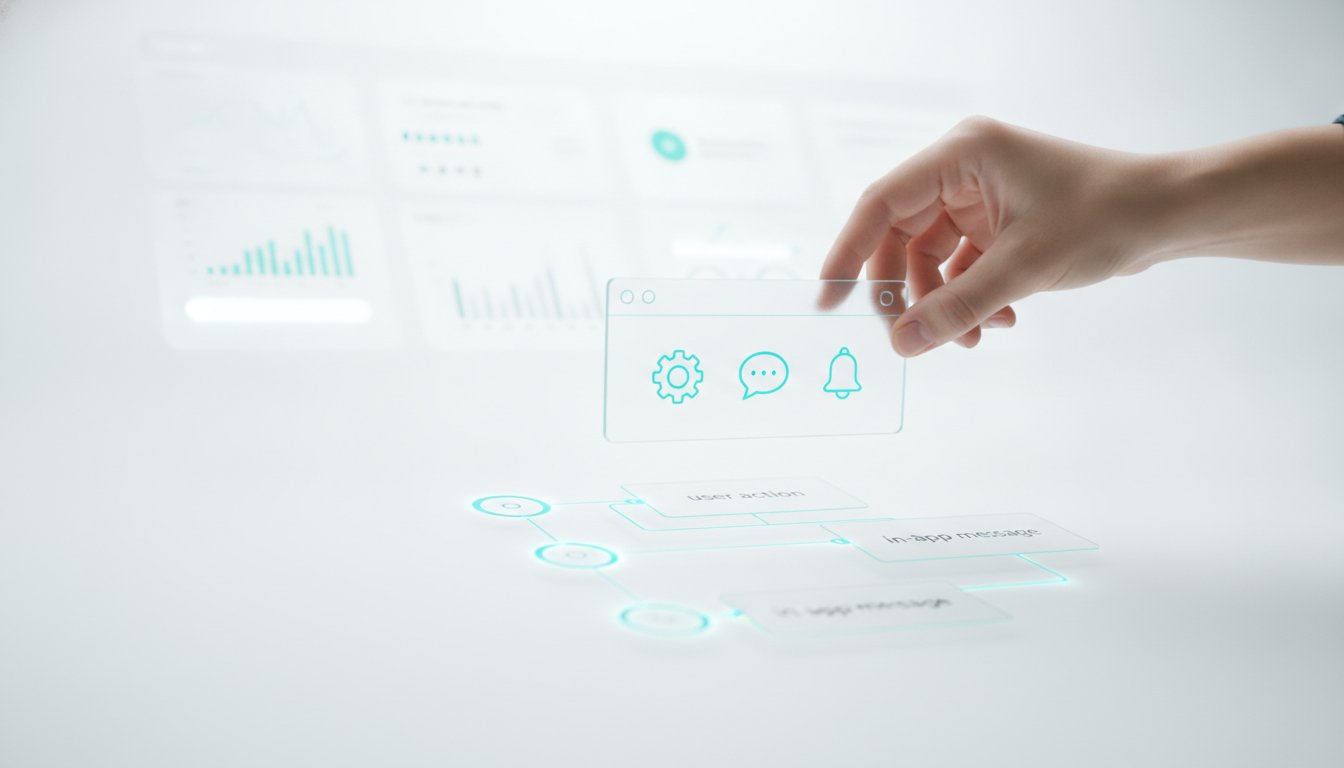
In-app messaging delivers targeted content to users while they are active in your product. It is the opposite of an email or a push notification. You don't have to hope they see it later. They see it now. A no-code development platform allows non-technical teams to build these experiences without a developer. You use a visual editor. You drag, drop, and deploy. This shift from "low-code" to "no-code" means you aren't just writing fewer lines of code; you're writing zero.
The goal is simple. Reduce friction. Drive adoption. You can use various formats to get there:
- Modals: High-impact center-screen alerts for major updates.
- Banners: Low-friction bars at the top or bottom for subtle nudges.
- Slide-outs: Corner-based messages that don't block the UI.
- Product Tours: Multi-step guides that walk users through a workflow.
The Three Pillars of Effective Messaging
Visual design matters. Your messages must feel like a native part of your UI. If they look like third-party spam, users will ignore them. Behavioral logic is the second pillar. You don't just blast everyone. You trigger messages based on specific actions, like clicking a button or landing on a page. The final pillar is data unity. This is where most tools fail. Your messaging tool and your analytics tool must share the same identity data. If they don't, you're guessing. You end up sending "Welcome" messages to power users. It's embarrassing. It's inefficient.
Why SaaS Teams are Moving to No-Code
Engineering time is expensive. Every hour spent building a custom banner is an hour not spent on your core product. No code in-app messaging solves this by moving the work to Product Managers. You get speed to market. You can launch an experiment in five minutes instead of waiting for a two-week sprint cycle. You eliminate the high overhead of custom UI components. Most importantly, you empower the people who understand the user best to talk to the user directly. It's about taking control of the user experience without asking for permission from the dev team.
How to Launch a No-Code In-App Campaign
Launching a no code in-app messaging campaign shouldn't feel like a high-stakes engineering project. It is a tactical move. You identify a gap in user behavior and bridge it with a message. The process follows a linear path: define, select, build, trigger, and iterate. If you skip the definition phase, you're just creating noise. Ask yourself if you are announcing a feature, collecting feedback, or preventing churn. Your answer dictates your entire strategy. Once you have a goal, you can build the creative using a visual editor to customize text, images, and buttons without a developer.
Step 1: Choosing Your Message Format
In-app banners are your workhorse for low-friction updates. They stay out of the way. Use them for maintenance alerts or small feature nudges. Modals and pop-ups are the opposite. They demand attention. Use them for critical onboarding milestones where skipping the step means failure. Slide-outs offer a middle ground for contextual tips. They provide help without blocking the entire screen. Picking the wrong format is the fastest way to annoy your users. Match the "weight" of the message to the importance of the action.
Step 2: Designing for Native Feel
Visual editors now allow you to customize CSS properties without touching a stylesheet. You can match your brand’s exact hex codes, font weights, and border radiuses. Native feel is the absence of visual friction between the app and the message. It makes the message feel like a built-in feature rather than an intrusive ad. This level of design agility is why industry experts point to no- and low-code software as a critical trend for 2024. Always ensure your design is responsive. A modal that looks perfect on desktop but breaks on a mobile screen will drive churn. You can launch a native-feeling banner in under five minutes when your engagement tools are unified.
After the design is polished, set your display triggers. Pin the message to specific screens or user events. Don't show a "How to" guide to someone who has already mastered the workflow. Publish to a small segment first. Observe the session replays. If users are dismissing the message too quickly, iterate on the copy or the timing. Only perform a full rollout once the data confirms the message is helping, not hindering.
Designing Triggers That Respect User Context
Context is the difference between a helpful tip and an annoying interruption. Stop guessing. Start triggering. If you show a "Welcome" modal to a user who has been active for three years, you've failed. You aren't being helpful; you're being loud. Effective customer engagement relies on precision. Implementing no code in-app messaging gives you the tools to set these rules yourself without a developer ticket.
You have two primary levers: events and properties. Event-based triggers respond to actions. A user clicks "Export Data" for the first time; you show a tooltip explaining the format options. Property-based triggers respond to who the user is. You can target users on a "Pro" plan who live in Europe and have been customers for over six months. This ensures your message is relevant to their specific reality. If you blast everyone, you help no one.
Frequency capping is your safety valve. It prevents "message fatigue." If a user dismisses a survey, don't show it again for thirty days. Limit the total number of pop-ups a user sees in a single session. This isn't just polite; it's smart business. Users who feel harassed by pop-ups don't convert; they churn.
The "If This, Then That" of In-App Engagement
Logical flows should be invisible to the user. Trigger a Product Tour only when a user lands on a specific dashboard for the first time. Don't force them through a tour they've already seen. Use In-App Surveys to capture sentiment immediately after a feature is used. The memory is fresh; the data is accurate. You can also leverage Feature Flags to show beta-specific messages. If only 10% of your users have access to a new tool, only that 10% should see the announcement.
Avoiding the Interruption Trap
Timing is as important as the message itself. Don't trigger a modal the millisecond the page loads. Set a delay. Wait five seconds. Let the user orient themselves before you speak. Use priority queues to manage conflicting messages. A critical system maintenance alert should always override a standard marketing banner. Finally, use exit-intent triggers to capture feedback when a user is about to drop off. It is your last chance to understand why they are leaving. Use it wisely.
Measuring Success Beyond the Click
Clicks are a vanity metric. If a user clicks your "Try New Feature" banner but never actually completes the workflow, that message failed. It was just a distraction. True success is measured by a change in user behavior, not a button click. When you deploy no code in-app messaging, you must shift your focus to downstream conversion. You need to know if the message actually moved the needle on your core KPIs.
Look at attribution. Establish a 24-hour window. Did the user perform the desired action within 24 hours of seeing the message? If they saw a discount banner and upgraded within the day, you have a win. If they clicked and bounced, you have a design or targeting problem. Don't settle for surface-level data. Demand the truth about how your messages impact the bottom line.
The Role of Session Replay in Optimization
Data tells you what happened. Session Replay tells you why. Most messaging tools leave you in the dark. You see a low conversion rate and start guessing. Stop guessing. Watch the replays. You might identify "rage clicks" on your in-app banners because the close button is too small. You might see users closing modals in under a second. This indicates poor timing or a lack of relevance. You are interrupting their work, not helping it. This level of insight is essential for bridging the gap between data and action in your product strategy.
Connecting Messaging to Product Analytics
Messaging is not a silo. It is a functional part of your product experience. Build funnels that track the journey from "Message Seen" to "Feature Used." If 80% of users see the message but only 2% use the feature, your creative is weak. A/B test your headlines. One might drive clicks while another drives actual feature adoption. Always prioritize the outcome over the interaction.
Track retention over time. Compare users who saw your onboarding tour against those who didn't. Do the "tour" users stay active longer? If they don't, your tour is a waste of time. Unified analytics allow you to see this reality without exporting CSVs or fighting fragmented data. You can track the full impact of your campaigns by connecting your engagement tools directly to your product data. Stop reporting on clicks. Start reporting on growth.
Scaling Engagement with Kilden’s Unified Suite
Fragmentation is the enemy of agility. Most teams juggle four different tools to do one job. They pay a "Tool Tax" in both dollars and engineering hours. Kilden kills this complexity. By unifying product analytics, session replays, and engagement tools into one platform, you eliminate the friction of data synchronization. You don't need a data engineering team to tell your messaging tool what your analytics tool already knows.
Stop worrying about seat costs. Kilden has no per-seat licensing. You can empower your entire team to build, analyze, and iterate without cost anxiety. It's about utility, not taxing your headcount. When everyone has access to the data, everyone can contribute to growth. This is how you scale no code in-app messaging across a growing organization.
This is the truth-teller advantage. Your campaigns use the exact same user identity data as your analytics. There is no lag. There are no mismatched profiles. If a user triggers an event in your app, they can see a relevant message instantly. Safety also matters. Use integrated feature flags to control exactly who sees what. You can roll out a new message to 5% of your users, watch the session replays to verify the experience, and then scale with confidence.
Why Unified Platforms Win in 2026
Speed defines the current market. In 2026, zero data latency isn't a luxury; it's a requirement. If your messaging tool has to wait for an API call from your analytics tool, you've already lost the user's attention. Real-time means right now. You also simplify your stack. One SDK handles everything from session replay to in-app surveys. This reduces app bloat and maintenance. Finally, you get a better UX. Your banners, modals, and tours share a consistent design system. Your app feels like a whole, not a collection of third-party plugins.
Getting Started with Kilden
Deployment is a one-time event. Install the Kilden SDK and unlock the full suite of engagement tools. You don't need to go back to engineering for every new campaign. Start small. Deploy a simple in-app banner to see immediate adoption lift on a neglected feature. Once you see the results, expand to complex product tours and surveys. It's time to stop the dev bottleneck. Start building no-code campaigns with Kilden and take control of your product growth.
Take Control of Your Product Growth
You've seen the cost of fragmentation. It's not just the subscription fees; it's the engineering hours lost and the disjointed user experience. Implementing no code in-app messaging isn't just about speed. It's about precision. By matching your messaging to real-time identity data, you stop guessing and start guiding. You move from vanity clicks to meaningful behavioral changes.
Efficiency comes from unity. You don't need a bloated stack of four different tools to drive feature adoption. You need one source of truth. Kilden provides a 100% no-code visual editor that links directly to your analytics and session replays. There is no per-seat licensing. There are no data silos. Just clear, actionable engagement that respects the user's time and intelligence.
It is time to stop waiting for the next dev sprint. You have the tools to build, trigger, and measure your own success starting today. Launch your first no-code campaign with Kilden and watch your adoption metrics climb. Your users deserve a product experience that feels human and helpful. Go build it.
Frequently Asked Questions
What is the difference between no-code in-app messaging and push notifications?
Push notifications reach users when they are away from your app. In-app messages reach them while they are active. One brings them back; the other guides them through a workflow. You use in-app messages to drive feature adoption and reduce friction during a live session. It's about context. Don't confuse the two or you'll waste your budget on the wrong channel.
Will no-code messaging tools slow down my application performance?
Lightweight SDKs load asynchronously. This ensures they don't block your main application thread or slow down page loads. Performance only drops if you use bloated, legacy platforms. Modern no code in-app messaging tools are built for speed. They prioritize the user experience over data collection. If your app feels slow, check your scripts, not your engagement suite.
Can I target in-app messages based on specific user behavior?
Precision is the entire point. You can trigger messages based on specific clicks, page views, or custom event sequences. If a user lands on a dashboard for the first time, show a tour. If they haven't touched a core feature in a week, send a nudge. Contextual relevance is the difference between a helpful tip and digital noise.
Do I need a developer to install a no-code messaging platform?
You need a developer for the initial SDK installation. It usually takes a few minutes. After that, the dev team is out of the loop. Non-technical teams can design, trigger, and deploy campaigns through a visual editor. You stop being a burden on the engineering roadmap. You start shipping experiments at your own pace without waiting for a sprint.
How do I prevent users from feeling spammed by in-app pop-ups?
Implement frequency capping and priority levels. Limit how many messages a user sees in a single hour or session. Use banners for low-priority updates and reserve modals for critical actions. If you interrupt a user's workflow with useless noise, they won't just close the message; they'll leave the app. Respect their time and they'll respect your product.
Can I A/B test no-code in-app messages?
Most advanced platforms support A/B testing for both creative and logic. You can test two different headlines or compare a banner against a slide-out. Don't guess which one works. Run the test. Watch the results in your analytics dashboard. Let the data dictate your engagement strategy instead of following a hunch or a corporate template.
What metrics should I track for my in-app messaging campaigns?
Ignore vanity metrics like total impressions. Focus on downstream conversion and feature adoption rates. You need to know if the message actually changed user behavior. Track retention for users who interact with your messages versus those who don't. If your no code in-app messaging doesn't move the needle on growth, it's just a distraction.
Is no-code in-app messaging secure for enterprise applications?
Security is a priority for modern platforms. Look for SOC 2 Type II compliance and GDPR adherence. These standards ensure your data is encrypted and handled with care. Enterprise-grade tools provide row-level privacy rules and secure storage. You don't have to sacrifice security for the sake of no-code agility. It's a false choice that slows down your innovation.