Session Replay Software: The No-Fluff Guide to User Behavior Context in 2026

on this page ▾
Your session replay software is probably lying to you. It's not that the data is wrong; it's that it's disconnected. You're likely drowning in thousands of recordings while still struggling to explain why your conversion rate dipped last Tuesday. In 2026, watching videos isn't the strategy. Understanding context is.
You know the frustration of jumping between a product analytics dashboard and a separate replay tool just to find one bug. It's slow. It's expensive. Most importantly, it creates a data tax that punishes your team for being curious. You need a single source of truth that bridges the gap between what and why without the anxiety of per-seat licensing costs or privacy bloat. True product growth happens when you unify behavioral recordings with immediate engagement tools.
This guide delivers the no-fluff reality of modern user behavior. You'll learn how to identify friction points in seconds rather than hours. We'll show you how to unify your view of the user journey and turn those insights into immediate product improvements. It's time to stop collecting noise and start driving growth.
Key Takeaways
- Stop watching videos and start tracking DOM mutations. Visual reconstructions provide the "why" behind your data without the technical bloat or privacy risks of traditional recording.
- Modern session replay software must live within your analytics, not in a silo. Bridge the gap between "what happened" and "why it happened" to identify friction points in seconds.
- Eliminate the "data tax" of fragmented subscriptions and per-seat licensing. A unified platform provides a single source of truth that protects your margins and your team's productivity.
- Turn passive observation into active improvement. Learn how to use behavioral insights to instantly trigger in-app banners or product tours the moment a user encounters friction.
Table of Contents
- What is Session Replay Software? (And Why Most Teams Use It Wrong)
- How Session Replay Actually Works: DOM Mutations vs. Video Recording
- The Cost of Fragmentation: Why Your Replay Data Should Not Live in a Silo
- 4 High-Impact Use Cases for Session Replay in 2026
- The Unified Approach: Turning Replay Insights into In-App Action with Kilden
What is Session Replay Software? (And Why Most Teams Use It Wrong)
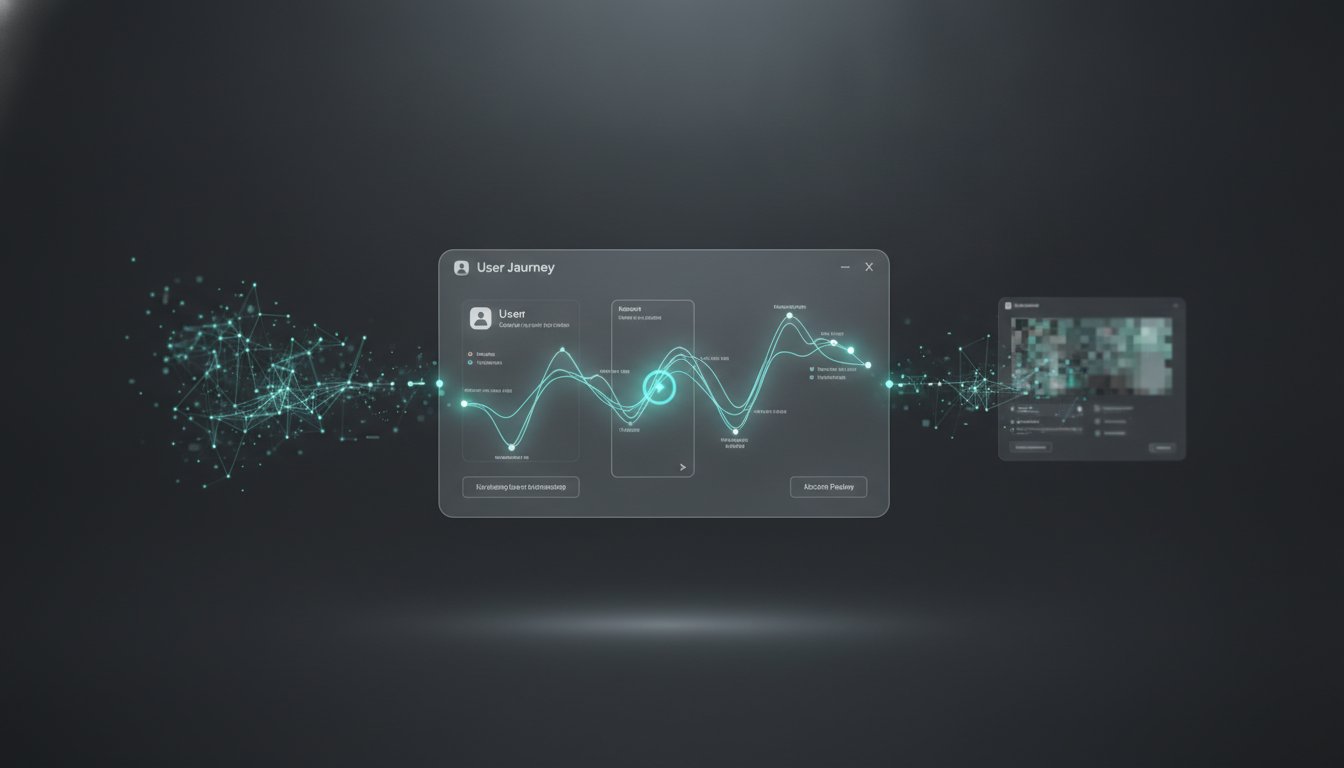
Session replay software is a visual reconstruction of a user’s journey through your digital product. It isn't a video. It's a playback of events. Most teams use it as a reactive forensic tool; they watch it only after a bug report arrives. This is the old way. In 2026, high-growth teams use replay data to bridge the gap between "what" happened in their analytics and "why" it happened in the user's mind.
Quantitative data shows you the drop-off. Qualitative data shows you the frustration. According to a neutral overview of Session replay, the technology captures user interactions to improve customer experience and analyze behavior. It turns cold metrics into human stories. If your analytics show a 20% bounce rate on your pricing page, that's a signal. Seeing a user hover over a "hidden" fee for ten seconds before leaving is the truth. Most teams miss this truth because they treat recordings as a separate pile of noise rather than integrated context.
Beyond the "Video" Metaphor
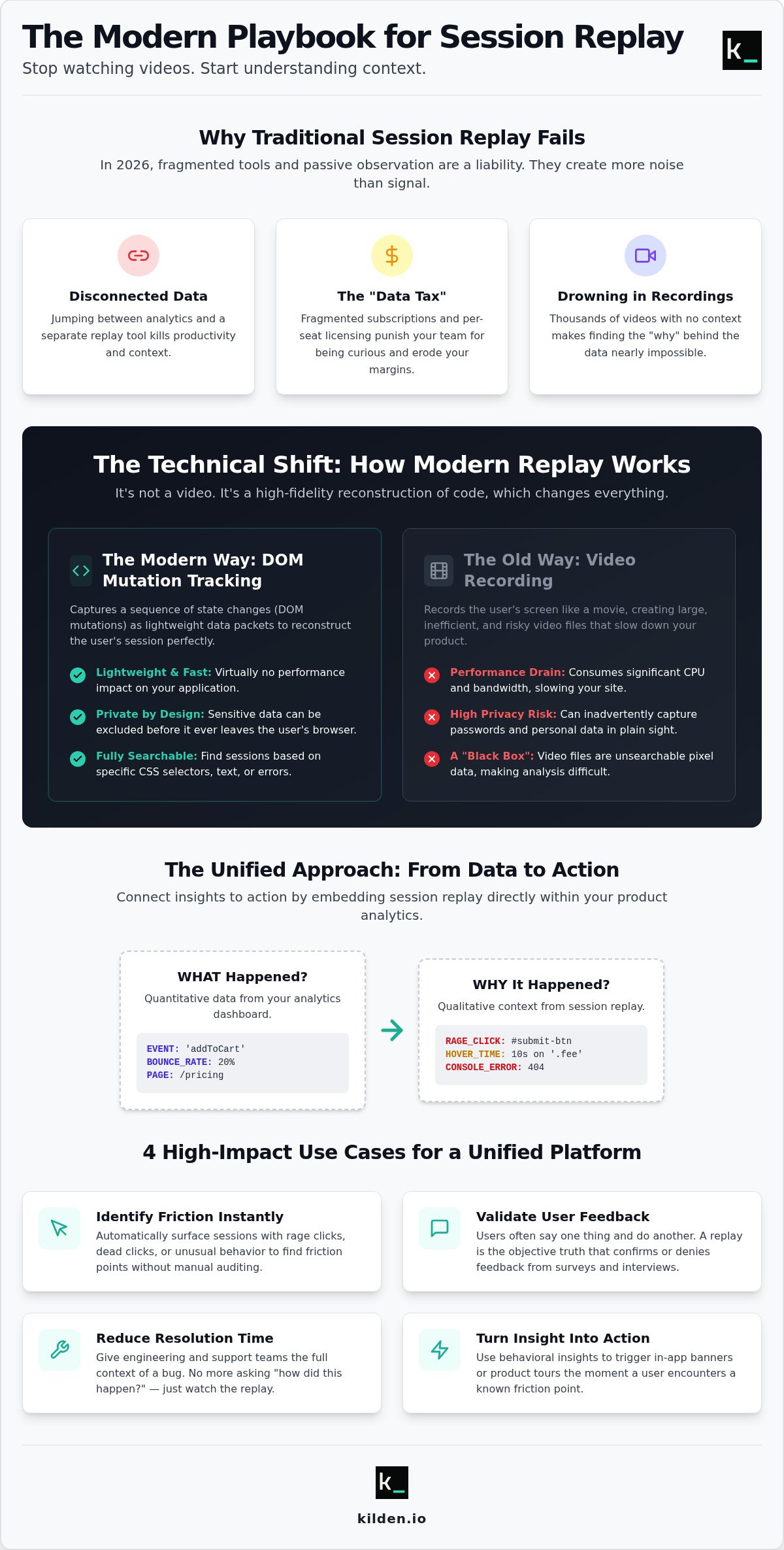
Stop thinking in pixels. Modern session replay software doesn't record your screen. It tracks Document Object Model (DOM) mutations. This technical distinction is vital for efficiency and privacy. Because it recreates the session from code rather than video files, it's lightweight and doesn't slow down your site. It also allows you to mask sensitive data effortlessly. You aren't watching a movie; you're analyzing a sequence of state changes. This humanizes your data. It moves your team away from looking at "User #4829" and toward understanding a person who just wants to solve a problem with your software.
The Qualitative Edge in 2026
The market is data-saturated. Your edge comes from how fast you can turn that data into a better product. Standalone tools that force you to switch tabs are dying. Product managers are tired of the context switching. They need insights delivered where the work happens.
- Identify friction instantly: Spot rage clicks or dead clicks without manual auditing.
- Validate feedback: Users often say one thing in surveys but do another in your app. The replay is the objective truth.
- Reduce resolution time: Engineering and support teams shouldn't have to ask "how did this happen?" They should see it.
The goal is proactive optimization. Don't wait for the complaint. See the struggle, identify the friction, and fix it. That is how you win in 2026.
How Session Replay Actually Works: DOM Mutations vs. Video Recording
Understanding the mechanics of your tech stack is the only way to avoid performance bottlenecks. While the term "replay" implies a recording, your 2026 session replay software functions more like a high-fidelity log of Document Object Model (DOM) mutations. The DOM is the live structural tree of your page. Every time a user interacts with an element or a script updates the UI, the tree mutates. Modern tools capture these specific state changes as lightweight JSON packets. You aren't streaming a movie; you're re-rendering a sequence of events.
Capturing raw code instead of pixels provides a massive performance advantage. Video recording consumes significant CPU and bandwidth, which can degrade the user experience. DOM mutation tracking is virtually invisible to the end-user. It ensures zero lag, which is critical for complex SaaS applications where every millisecond counts. This method also fundamentally changes how we handle security. Since the software only sees the code, you can prevent sensitive data from ever leaving the user's browser.
The DOM Mutation Advantage
Lightweight data packets are just the start. Because the session is stored as a sequence of events, it's fully searchable. You can't search a video for a specific CSS selector, but you can filter sessions where a specific error message appeared in the DOM. This approach is also perfect for the responsive web. Whether your user is on a 4K monitor or a smartphone, the replay reconstructs perfectly. It adapts to the viewer's screen because it's rendering the actual code, not a stretched, fixed-aspect video.
Privacy and Compliance in a Global Market
In 2026, privacy isn't a feature; it's a requirement. Global regulations like GDPR and CCPA have made data handling a high-stakes game. There are significant legal risks and how to mitigate them when capturing user behavior, especially regarding wiretapping laws. Modern systems mask Personally Identifiable Information (PII) at the source. This means credit card numbers or passwords are redacted before the data is even sent to the server.
Manual masking is a chore, so the best tools automate this process by default. You get the insights you need without the compliance anxiety. If you want to see how this looks in practice, exploring a unified platform can show you the balance between deep visibility and strict privacy. Everything is secured with enterprise-grade encryption, ensuring your "single source of truth" doesn't become a liability.
The Cost of Fragmentation: Why Your Replay Data Should Not Live in a Silo
Fragmentation is a hidden tax on your margins. Most teams pay for five different tools to get one result. They have one for analytics, another for session replay software, and three more for engagement. This is a waste of capital. It also creates a "fragmented truth." When your analytics tool reports a funnel drop-off but your replay tool shows a different set of sessions, you lose trust in your data. You spend more time debating which tool is right than fixing the product. You need a single source of truth that removes the guesswork.
Context switching is the real productivity killer. A product manager loses significant focus every time they jump between tabs to correlate data. In 2026, speed is the only metric that matters. If your team is stuck in the "data tax" cycle of managing multiple subscriptions and disconnected logins, you are moving too slow. Most teams are currently trapped in a cycle of paying for redundant features across multiple vendors. You pay for seats in an analytics tool. You pay for separate seats in a replay tool. This redundancy kills your margins and complicates your security protocols.
The Identity Resolution Problem
Matching a "User ID" in your analytics to a specific recording in another tool is a manual nightmare. If your data layers aren't unified, you're guessing. A single identity layer is the only way to scale. It ensures that when you see a struggle, you know exactly who it is and how to help them. Without this, your behavioral analysis is just a collection of anonymous videos. You need to link the "what" and the "why" at the identity level to make your data actionable. This eliminates the need for manual cross-referencing and lets your team focus on building instead of data entry.
Speed to Action
The gap between finding a bug and fixing it is where productivity dies. In a fragmented stack, you find a friction point in your session replay software, then you manually log a ticket. Then you wait. Unified platforms eliminate this delay. They allow you to see a struggle and instantly toggle a feature flag or trigger a product tour to guide the user. You move from observation to execution in seconds. This is why Session Replay and Analytics: Why Context is the Only Competitive Advantage in 2026 is the essential framework for teams that prioritize efficiency over bloat. By closing the loop between insight and action, you turn a passive recording into a growth lever.
4 High-Impact Use Cases for Session Replay in 2026
Watching sessions without a specific objective is just digital voyeurism. It wastes time. To get a return on your investment, you must use session replay software as a diagnostic tool for specific friction points. In 2026, high-velocity product teams focus their analysis on four primary areas where behavioral context drives the most revenue. They move beyond passive observation and start using recordings to validate hypotheses and trigger immediate fixes.
- Optimizing the Sign-Up Funnel: Analytics show you the drop-off. Replays show you the cause. You might find that a validation error is too subtle or a "Next" button is hidden below the fold on specific mobile devices.
- Debugging UX Friction: Find the "invisible" bugs. These are the glitches that don't trigger a console error but still break the user's flow. If a user clicks a button three times and nothing happens, that's a silent failure your logs will never catch.
- Onboarding Refinement: Watch how users interact with your product tours. If 40% of users exit the tour at the same step, that step is confusing or redundant. Fix the tour, and you fix the retention.
For a detailed breakdown of this methodology, check out our guide on How to Find Exactly Where Users Get Stuck in Your Product: A Data-Driven Guide.
Conversion Rate Optimization (CRO)
Replays are the ultimate tie-breaker for A/B testing. A winning variant might show higher conversions, but session replay software reveals if users are actually finding the new UI intuitive or just clicking through out of confusion. You can identify high-intent behaviors, such as a user repeatedly highlighting a specific feature description, and use that insight to refine your value proposition. Fixing checkout friction in real-time becomes possible when you see exactly where the payment flow stutters.
Customer Support and Success
Stop asking your customers for screenshots. It's an outdated, frustrating request that slows down resolution. When a user submits a ticket, your support team should already have the context. By watching the session leading up to the report, success managers can lead proactive calls that address the root cause of the frustration. This builds a culture of genuine empathy. You're no longer just closing tickets; you're seeing the human struggle behind the data and resolving it before it leads to churn.
If you're tired of guessing why your users are dropping off, it's time for a unified view. Get started with Kilden today and turn your behavioral data into a competitive advantage.
The Unified Approach: Turning Replay Insights into In-App Action with Kilden
Observation is passive. Action is growth. Most teams stop at the insight, but the real value of session replay software lies in what you do after you've spotted the struggle. Kilden unifies the trinity of product growth: analytics, behavior, and engagement. If you see a user getting frustrated in a recording, you shouldn't have to wait for a sprint cycle to help them. You should close the loop immediately. Kilden allows you to move from identifying a friction point to deploying a solution in the same interface.
High-growth teams require a system that scales with their product without the hidden overhead of managed data engineering. We've built an architecture that handles global scale while keeping your data unified. By removing the silos between your behavioral recordings and your engagement tools, we eliminate the "data tax" that slows down traditional product teams. You get a single source of truth that empowers your team to be proactive rather than forensic.
Integrated Product Tours and Messaging
Context is the bridge between a recording and a conversion. When you use session replay to identify where users are dropping off, you are effectively performing a gap analysis on your onboarding. Don't just watch them leave. Use those insights to place your next product tour exactly where the confusion begins. With Kilden, you can trigger in-app surveys or targeted banners based on specific recorded behaviors, such as a user lingering on a complex dashboard element. This creates a seamless loop. You observe the human behavior, you identify the need, and you engage them with a solution before they churn.
Eliminating the "Per-Seat" Barrier
Information silos are often built by restrictive licensing models. We believe every team member, from the junior support agent to the lead engineer, should have access to the objective truth of the user journey. That's why Kilden does not use per-seat licensing. This transparency allows your whole company to build user empathy without worrying about the bill. Our pricing model is designed to support rapid growth, not punish it. When everyone can see exactly where the product fails the user, the product improves faster. It's that simple.
Experience the power of unified product analytics and session replay with Kilden and start turning your behavioral data into immediate product improvements.
Stop Watching, Start Solving
Data without context is just noise. You've seen how the old way of siloed recordings and per-seat taxes fails modern product teams. In 2026, the competitive advantage belongs to those who unify their view of the user. By moving from passive observation to proactive engagement, you turn friction into growth. High-fidelity session replay software should be the pulse of your product development, not a forensic afterthought hidden in a separate tab.
True efficiency comes from a single source of truth. When your whole team can access behavioral insights without licensing barriers, empathy becomes your default setting. You no longer guess why users drop off; you see the struggle and fix it in real-time. This unified approach eliminates the data tax and ensures your privacy compliance is handled at the source. It's time to stop managing a fragmented stack and start building better experiences.
Start seeing the truth with Kilden’s unified session replay. Our platform provides the analytics and engagement tools you need without per-seat licensing or technical bloat. Build with clarity and move at the speed of your users.
Frequently Asked Questions
Does session replay software slow down my website performance?
Modern session replay software will not slow down your site if it utilizes DOM mutation tracking. Instead of recording pixels, it captures lightweight JSON data packets. This method is virtually invisible to the end-user and ensures zero lag for your application. It provides high-fidelity playback without the heavy CPU load of legacy video tools. You get the insights you need without compromising your site speed or user experience.
Is session replay compliant with GDPR and other privacy laws?
Yes, it is compliant when configured correctly. Modern tools redact Personally Identifiable Information (PII) at the source. This means sensitive data like passwords or credit card numbers never leave the user's browser. You maintain 100% privacy compliance with GDPR and CCPA. You can even automate masking for specific UI elements to ensure no data is leaked. It's a secure way to gain context without creating legal liabilities.
Can I see sessions from mobile apps as well as web apps?
You can track sessions across both platforms. Web apps rely on DOM mutations, while mobile apps use native SDKs to capture state changes. A unified platform shows you the complete user journey regardless of the device. This cross-platform visibility is essential for modern SaaS products. You see the entire journey regardless of the device. This ensures your data isn't fragmented between different screen sizes.
How does session replay differ from traditional heatmaps?
Heatmaps provide aggregate data on where users click or scroll. They show the "hot" spots across your entire user base. Session replay software provides the individual narrative. It shows the specific, chronological sequence of actions a single person took. Heatmaps tell you what happened on a page; replays tell you why a specific user struggled or converted. You need both to get the full picture of your product health.
Do I need to be a developer to use session replay software?
You don't need technical skills to analyze the data. While a developer usually handles the initial snippet installation, the actual analysis is designed for product managers and support teams. The interfaces are intuitive. You can watch sessions, identify friction, and share insights without writing code. The goal is to empower the whole team. When everyone can see the user's reality, the product improves faster.
How long does it take to set up session replay in my product?
Setup usually takes less than five minutes. You simply add a small code snippet to your site or integrate an SDK into your mobile app. Once the script is live, data begins flowing immediately. There is no complex configuration or managed data engineering required. It's a plug-and-play solution that scales automatically as your traffic grows. You get immediate value and see user behavior within seconds of the first interaction.
Can I filter session recordings by specific user attributes or events?
You can filter by almost any variable. Filter by user attributes like plan type or geography. You can also filter by specific events like "rage clicks" or "completed sign-up." This turns a mountain of recordings into targeted insights. You only watch sessions that solve the specific problem you are investigating. It's about finding the signal in the noise and ignoring the sessions that don't drive growth.